HotelDesk Plugin System Is Now Available
Extend HotelDesk with modular tools designed for specific hotel workflows, installed and managed directly from the desktop application.
A practical checklist for front desk and housekeeping teams.
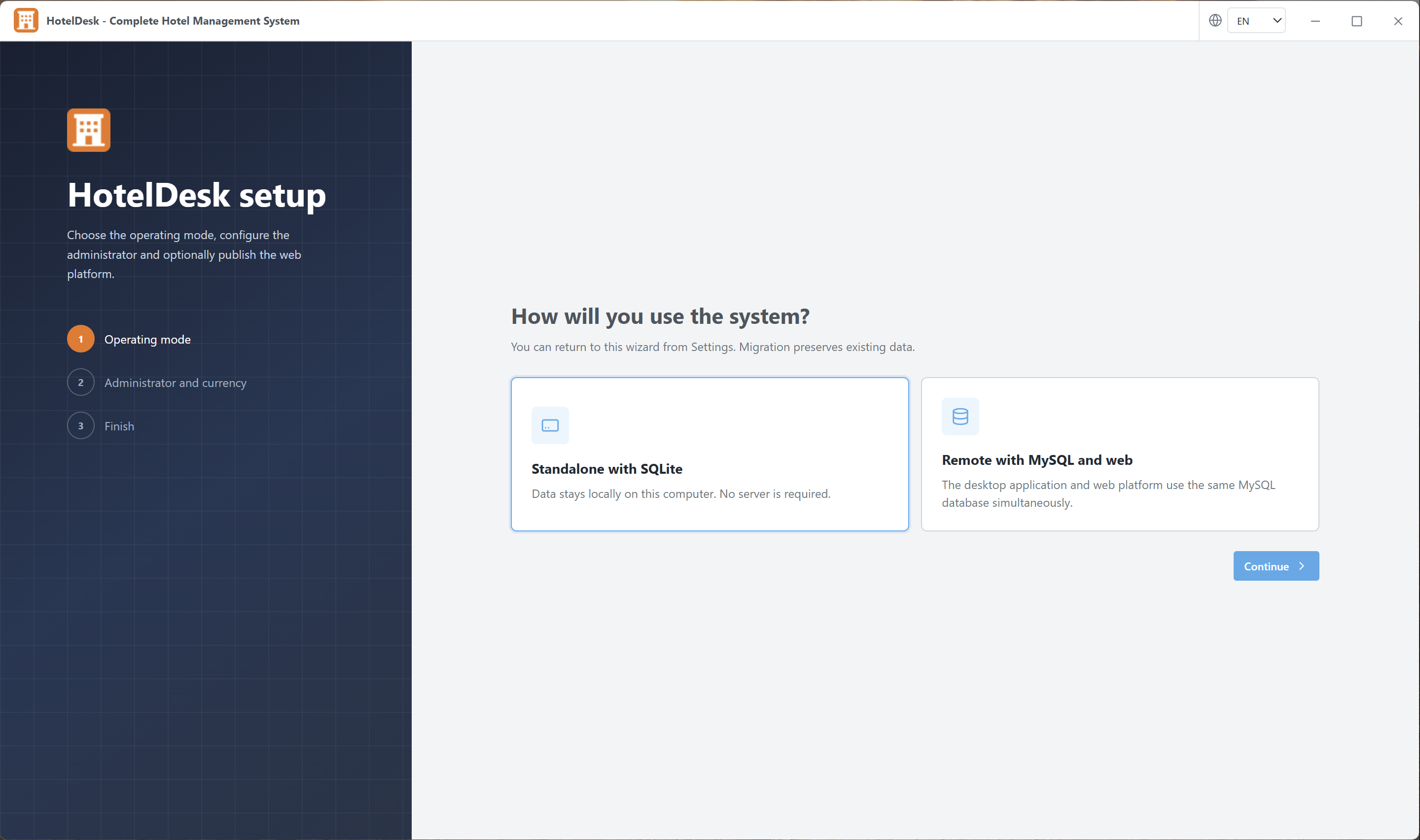
HotelDesk can operate in two different configurations: Standalone and Remote Server. Both configurations provide the same familiar HotelDesk interface, but they differ in where data is stored and how staff members access it.
Standalone mode stores the hotel database locally on the computer where HotelDesk is installed. It uses a local SQLite database and does not require a web server, hosting account or MySQL connection.
This configuration is suitable for hotels that want to manage their operations from a single workstation or start using HotelDesk without configuring additional server infrastructure.
Because the database is local, other computers and the HotelDesk web module cannot access the same live information simultaneously.
Remote Server mode stores the HotelDesk database in MySQL on a server selected and controlled by the customer. The HotelDesk desktop application and the optional web module connect to the same database.
This allows authorized staff members to use the desktop application and web platform at the same time while working with the same reservations, rooms, clients, payments and operational information.
Remote Server mode does not mean that HotelDesk automatically stores your operational data on HotelDesk.app. You select and manage the server where the hotel database and web module are installed.
The HotelDesk setup wizard guides the administrator through the remote configuration process.
For security and compatibility, the remote installation should use HTTPS, a supported PHP version, a dedicated MySQL database and an FTP account restricted to the intended web directory.
Yes. You can begin with Standalone mode and migrate to Remote Server mode later when your hotel requires shared access or the web platform.
During migration, HotelDesk transfers the supported local data from SQLite to the configured MySQL database. The remote configuration is validated before it becomes the active data source.
Before starting a migration, create a complete backup and make sure no other staff member is changing data. After migration, all staff members should use the new remote configuration so that information remains synchronized.
Standalone and Remote Server modes use the same HotelDesk interface and hotel-management workflow. The main difference is the location of the database and the number of platforms that can access it.
You can start locally, migrate when required and continue managing the hotel with the same familiar tools.
No comments yet.
Extend HotelDesk with modular tools designed for specific hotel workflows, installed and managed directly from the desktop application.
Meet HotelDesk, a complete hotel management system for Windows and Linux that connects reservations, rooms, guests, staff, payments and daily operations.
Sign in to your customer account before submitting a comment. You will return to this article after authentication.