Standalone vs Remote Server: How HotelDesk Works
A practical checklist for front desk and housekeeping teams.
Meet HotelDesk, a complete hotel management system for Windows and Linux that connects reservations, rooms, guests, staff, payments and daily operations.
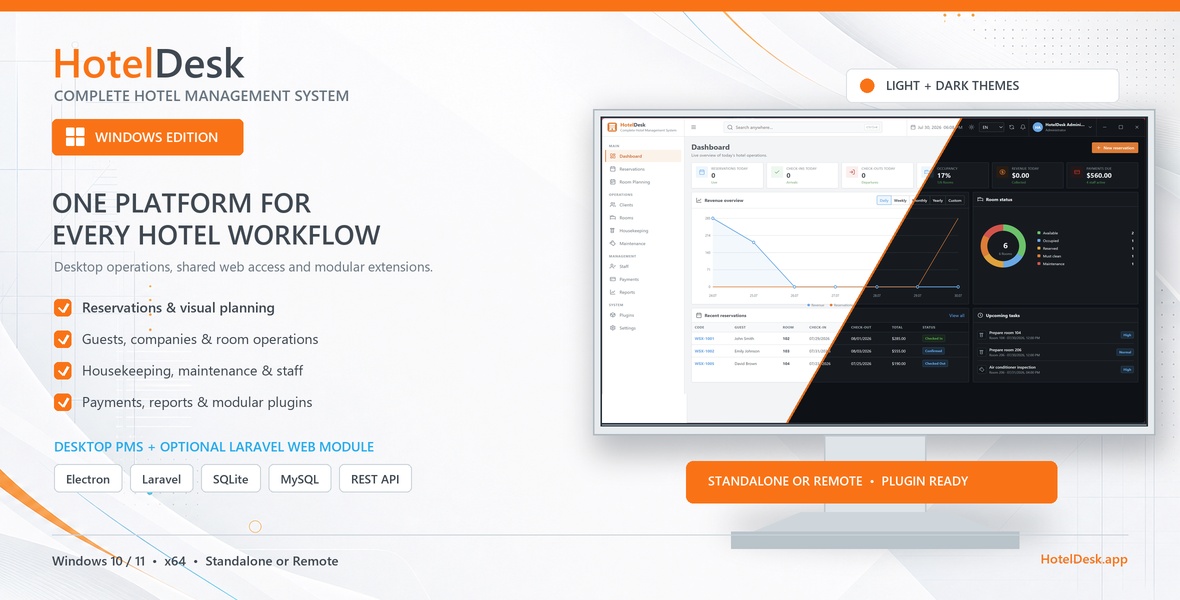
Running a hotel means keeping dozens of moving parts aligned: reservations, room availability, guest information, housekeeping, maintenance, payments, staff and reporting. When those tasks are spread across spreadsheets, paper notes and disconnected tools, even simple decisions take longer than they should.
HotelDesk - Complete Hotel Management System brings those daily operations together in one organized workspace. Built for Windows and Linux, HotelDesk helps accommodation teams manage the full guest journey while keeping operational information clear, accessible and under their control.
HotelDesk is designed around the work performed every day at reception and across the property. The dashboard gives staff a live overview of arrivals, departures, occupancy, revenue, outstanding payments, room status and upcoming tasks.
From there, each area of the hotel can be managed without leaving the application:
Every property has different infrastructure, so HotelDesk supports two working modes.
Standalone mode stores data in a local SQLite database on the computer running HotelDesk. It is a practical choice for properties that want a simple installation without maintaining a server.
Remote mode connects the desktop application to a MySQL database and the optional HotelDesk web module. Authorized staff can then work with the same operational data from the desktop application and a browser-based interface.
A standalone installation can be migrated to a remote configuration later, allowing a property to begin locally and expand when its workflow requires shared access.
Reservation management is more than storing arrival and departure dates. HotelDesk connects each stay to the guest, assigned room, source, rate, balance, payment history and operational status.
Staff can follow a reservation from creation and confirmation through check-in and check-out. Room and housekeeping states stay connected to this workflow, helping reception and operational teams understand what needs attention without relying on separate notes.
HotelDesk includes searchable country, region and city selectors for client profiles. Company accounts can store dedicated business and contact details, while eligible EU VAT numbers can be checked through the VIES service.
The interface supports English, French and Romanian, and the application can be configured with the property’s preferred currency. When the currency is changed through the guided configuration process, supported operational values are converted consistently.
HotelDesk gives staff a clear picture of reservation totals, payments and remaining balances. Payment lists and reservation data can be filtered by date, printed or exported to CSV for further processing.
Invoices use a clean layout suitable for A4 printing and PDF download. Reports help managers understand performance without hiding the underlying reservation and payment records. HotelDesk remains an operational management tool, so each property can review its fiscal and accounting requirements according to local law.
The plugin system makes it possible to add new capabilities without turning the core application into an overloaded interface. Compatible free and paid plugins can be displayed through the HotelDesk catalog, installed from the desktop application and used with the existing application license.
HotelDesk also supports manual ZIP installation for authorized packages. Installed plugins can contribute dedicated pages, settings, navigation and integrations while following the application’s visual system and access rules.
Each employee can have an individual account instead of sharing administrator credentials. Roles help separate reception, management, housekeeping, maintenance and accounting responsibilities, while the primary administrator account remains protected from accidental deletion or deactivation.
Global search provides suggestions across relevant application areas, making it quicker to open pages and locate operational records. Light and dark themes allow staff to choose the interface that best fits their working environment.
HotelDesk is available for supported Windows and Linux systems. Both versions follow the same design and operational workflow, so properties can choose the platform that fits their infrastructure without learning a different hotel-management product.
Application releases, platforms, architectures and update channels are managed separately to ensure that each installation receives a compatible build. License verification and update checks are handled through HotelDesk.app.
HotelDesk is suitable for hotels, guesthouses, boutique properties, serviced accommodation and other businesses that need a structured way to manage rooms and stays.
It is especially useful for teams that want:
HotelDesk was created to make everyday hotel management easier to follow, easier to operate and easier to extend. From the first reservation of the day to the final room-status update, the information your team needs stays connected in one professional workspace.
Explore the available HotelDesk plans, choose the version for your operating system and configure the application for the way your property works.
No comments yet.
A practical checklist for front desk and housekeeping teams.
Extend HotelDesk with modular tools designed for specific hotel workflows, installed and managed directly from the desktop application.
Sign in to your customer account before submitting a comment. You will return to this article after authentication.